Platform · Fraud & quality
Stop bad leads and bad sources
pingtype checks each lead's phone, email and IP address, gives it a risk score, and limits sources that send duplicates or junk. It also spots publishers who send the same people.
What you can do
Fraud & quality, in plain words.
- Check phone numbers, email addresses and IP addresses, including VPNs, proxies and disposable emails
- Set where medium and high risk begin, and limit how many of each you accept per day
- See which publishers are sending the same people
Risk mix by publisher
Checks on one lead
- PhoneMobile, validPass
- EmailValid, not disposablePass
- IP addressVPN detectedFlag
In detail
What makes a lead bad?
Leads go bad in familiar ways: the same person submitted twice, a made-up email, a phone number that is not a real mobile, traffic from a proxy or VPN, or a publisher recycling old leads and passing them off as new.
pingtype checks each of these before a buyer is offered the lead, and keeps score by source, so one bad publisher cannot drag down your accept rate with every buyer.
- 1
Switch on the checks
Choose which lookups run: phone, email and IP address.
- 2
Set the risk bands
Decide where medium and high risk begin.
- 3
Choose the response
Reject high-risk leads, limit medium-risk leads per day, or just watch at first.
- 4
Review your sources
The Quality and Fraud reports show which sources to keep, limit or block.
Inside the product
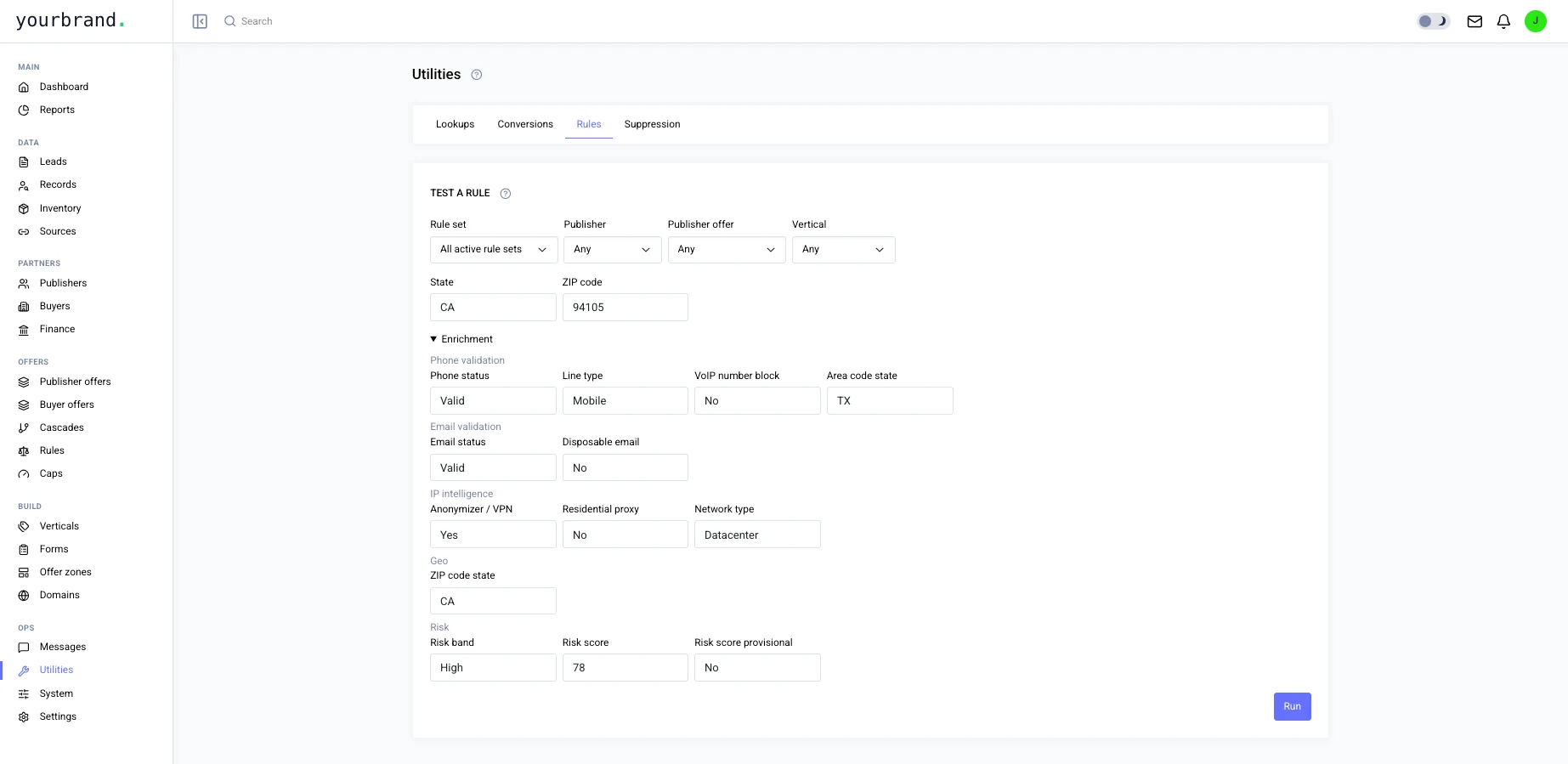
This is Fraud & quality in pingtype.
You decide
What you control in Fraud & quality.
- Which phone, email and IP checks run
- Where medium and high risk begin
- Daily limits on medium-risk and high-risk leads
- Blacklists and whitelists of sources
- A suppression list of emails and phone numbers
- Whether duplicates are rejected or throttled
Questions
Can I test a rule before using it?
Yes. The Test a rule tool tries a rule against sample details, and watch-only mode records what a rule would do without blocking anything.
What is a suppression list?
A list of emails and phone numbers that must never be sold. Add them one at a time, or upload a CSV.
Do the checks cost extra?
The email, phone and proxy lookups are optional paid checks that you switch on in Settings.
Can I block a publisher?
Yes. Block a source outright, or only allow a short list of sources on an offer with a whitelist.
Works with
Fraud & quality fits with the rest of pingtype.
More of the platform