Platform · White-label
Your brand, your address, your clients
Every client gets their own console on their own web address, with their own logo, colours and sign-in page.
What you can do
White-label, in plain words.
- Use your own sign-in address, such as app.yourbrand.com
- Set your logo, icon and colours, for light and dark mode
- Use your own tracking domains for links
Welcome back
In detail
Why white-label?
Publishers and buyers trust a brand they recognise. A console on your own address, with your logo, looks like your product rather than a tool you rent.
Each client space is separate: its own users, its own data and its own settings, so one client never sees another's numbers.
- 1
Set your branding
Upload your logo and icon, and choose your colours.
- 2
Pick your sign-in address
Use your own address for the sign-in page.
- 3
Add your tracking domain
Add the name, then add the DNS record you are shown.
- 4
Invite your team and partners
Add team members, publishers and buyers.
Inside the product
This is White-label in pingtype.
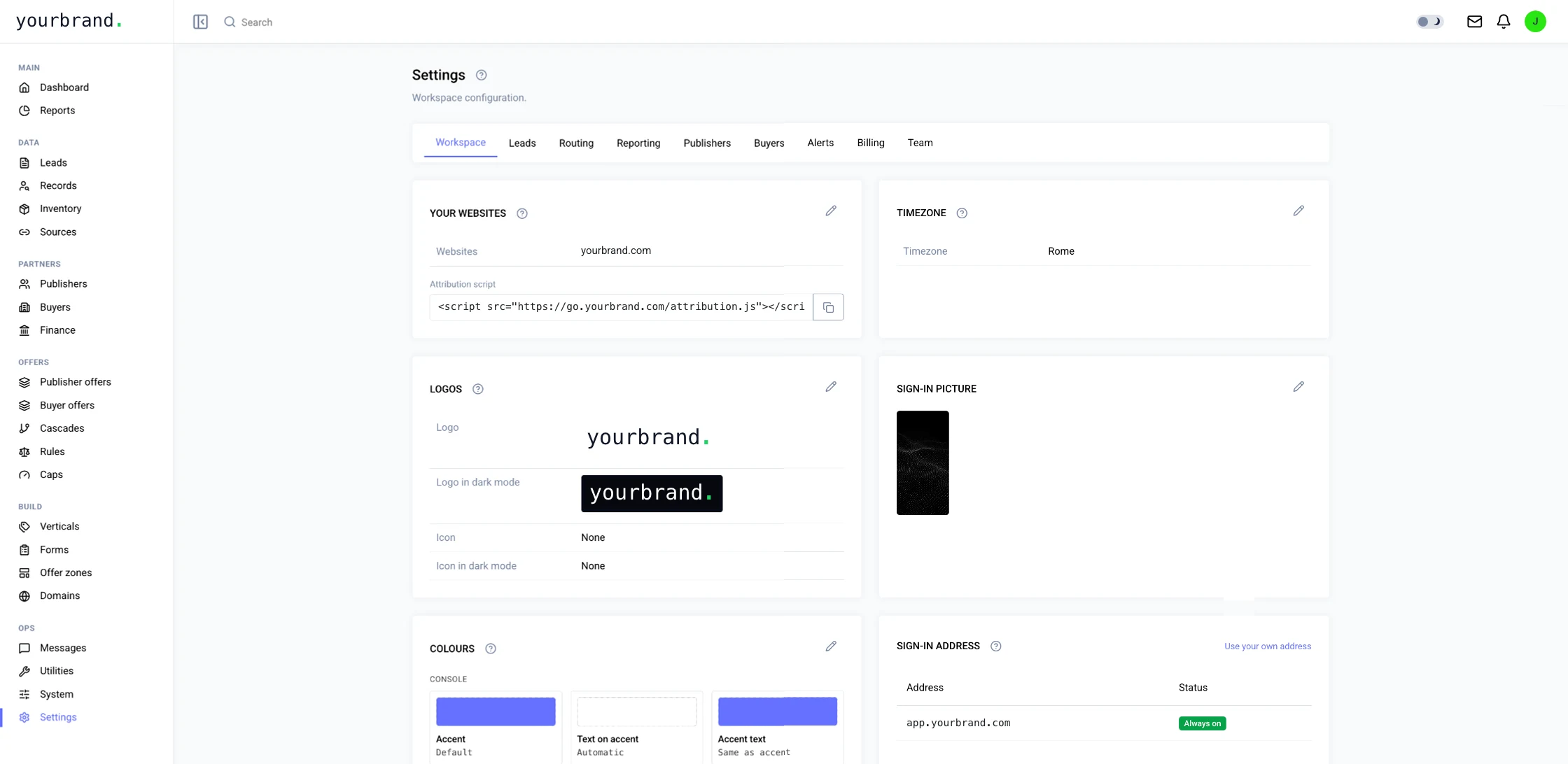
You decide
What you control in White-label.
- Your logo, in light and dark mode
- Your icon and sign-in picture
- Your accent and text colours
- How the sign-in page looks
- Your sign-in address
- Your tracking domains and timezone
Questions
Can I use my own domain?
Yes. Add the name, then add the DNS record you are shown. Until the record is in place, links keep using your default domain.
Does each client have their own settings?
Yes. Each client space has its own users, data and settings.
Can I change the colours?
Yes. You can set the accent colour, text colour, sign-in page colours and more.
Works with
White-label fits with the rest of pingtype.
More of the platform