Step 6 of 6 · Payouts
Pay publishers, invoice buyers
See what every publisher has earned and what every buyer owes, without a spreadsheet.
What you can do
Payouts, in plain words.
- Pay a set amount per lead, or a share of the sale
- See who is paid, part paid, or still owed
- Hold a payout until the sale is confirmed
- Publisher ASettled
- Publisher BPart paid
- Publisher COwed
The bar shows how much of what is due has been paid.
In detail
How do publisher payouts work?
Publishers get paid for the leads they send. The payout is either a fixed amount per lead or a share of what the buyer paid. Each week or month you need to know what every publisher has earned, what was voided, what you have already paid and what is still owed.
A spreadsheet breaks as soon as buyers start returning leads. pingtype keeps the figures live, and can hold a payout until a sale is confirmed, so you do not pay for a lead that comes back.
- 1
Set the payout on each offer
A fixed amount per lead, or a share of the sale.
- 2
Watch it add up
See revenue, voided leads and what is owed for every publisher.
- 3
Hold if you need to
Hold a payout until the sale is confirmed.
- 4
Pay and record
Pay the publisher, then mark it as paid. Buyers' invoices come from the same figures.
Inside the product
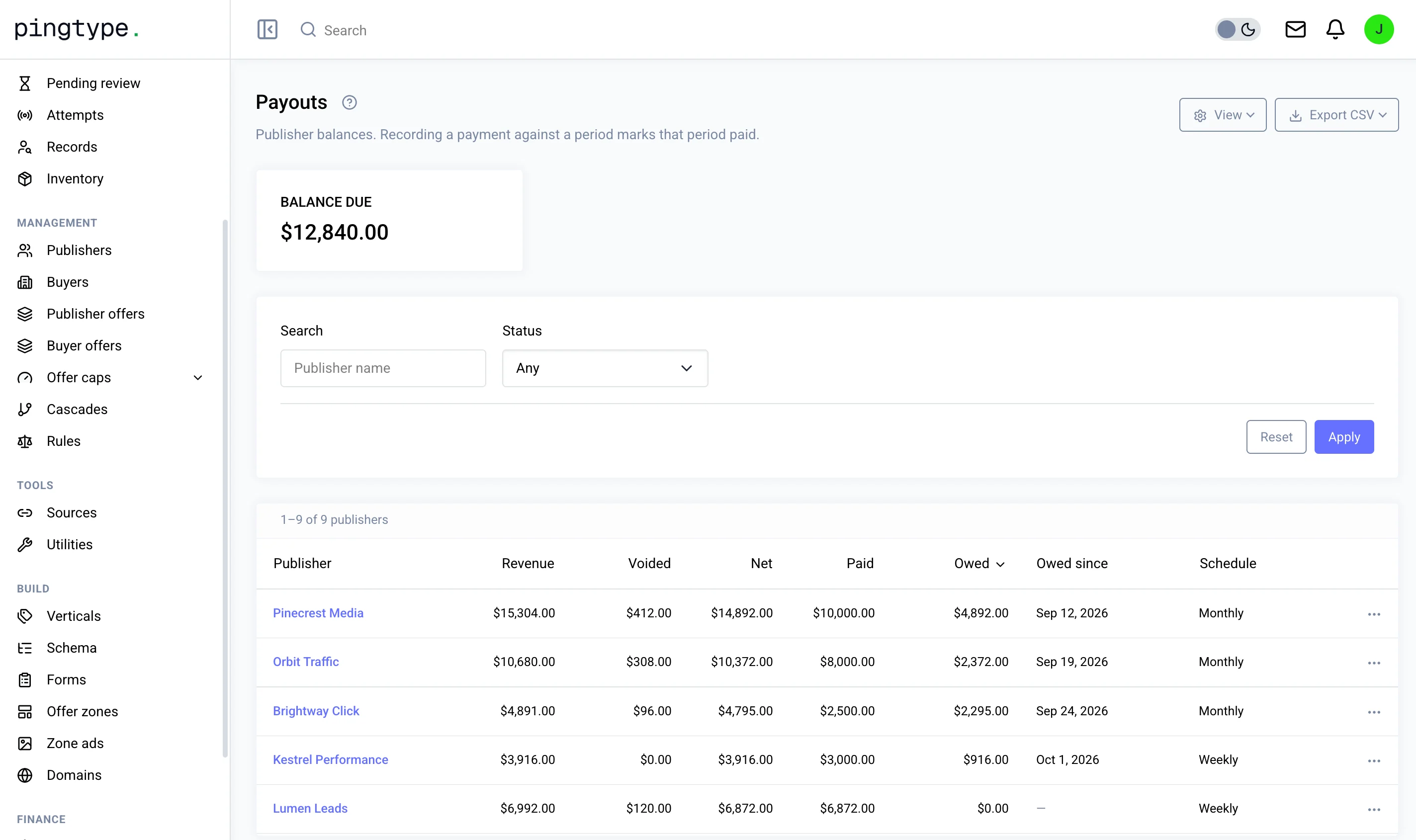
This is the Payouts screen.
You decide
What you control in Payouts.
- A fixed amount per lead, or a share of the sale
- A weekly or monthly payout schedule
- Holding a payout until a sale is confirmed
- Recording each payment you make
Questions
Can I pay different publishers different rates?
Yes. The payout is set on each offer, so every publisher can have its own rate.
What is a held payout?
Money you owe a publisher but have not released yet. Hold it until the buyer confirms the lead, then release it.
How do I see what I still owe?
Each publisher shows what it earned, what was voided, what you have paid and what is still owed.
Works with
Payouts is one step of six.
The other five steps