Step 4 of 6 · Caps
Control volume
A cap limits how much a buyer or publisher can take. When a cap is full, leads move on to the next buyer.
What you can do
Caps, in plain words.
- Limit leads, clicks, sales or spend
- Count by the hour, day, week or month
- Choose what happens when a limit is full
- Leads per dayActive
72% used
- Spend per weekActive
38% used
- Clicks per hourLimit reached
Full
When a limit is full, new leads skip this buyer and go to the next one.
In detail
What is a cap?
A cap is a limit on how much a buyer or publisher can take in a set time. It might be 100 leads a day, 50 clicks an hour or a weekly spend. Buyers often agree daily or monthly volumes up front, and caps keep you inside them.
Without caps, a good day can flood one buyer while another gets nothing. With caps, a full buyer is skipped and the lead moves to the next one.
- 1
Choose what to count
Leads, clicks, sales or spend.
- 2
Choose the window
By the hour, day, week or month.
- 3
Set the limit
Type in the number.
- 4
Choose what happens at the limit
Decide what to do once the cap is full.
Inside the product
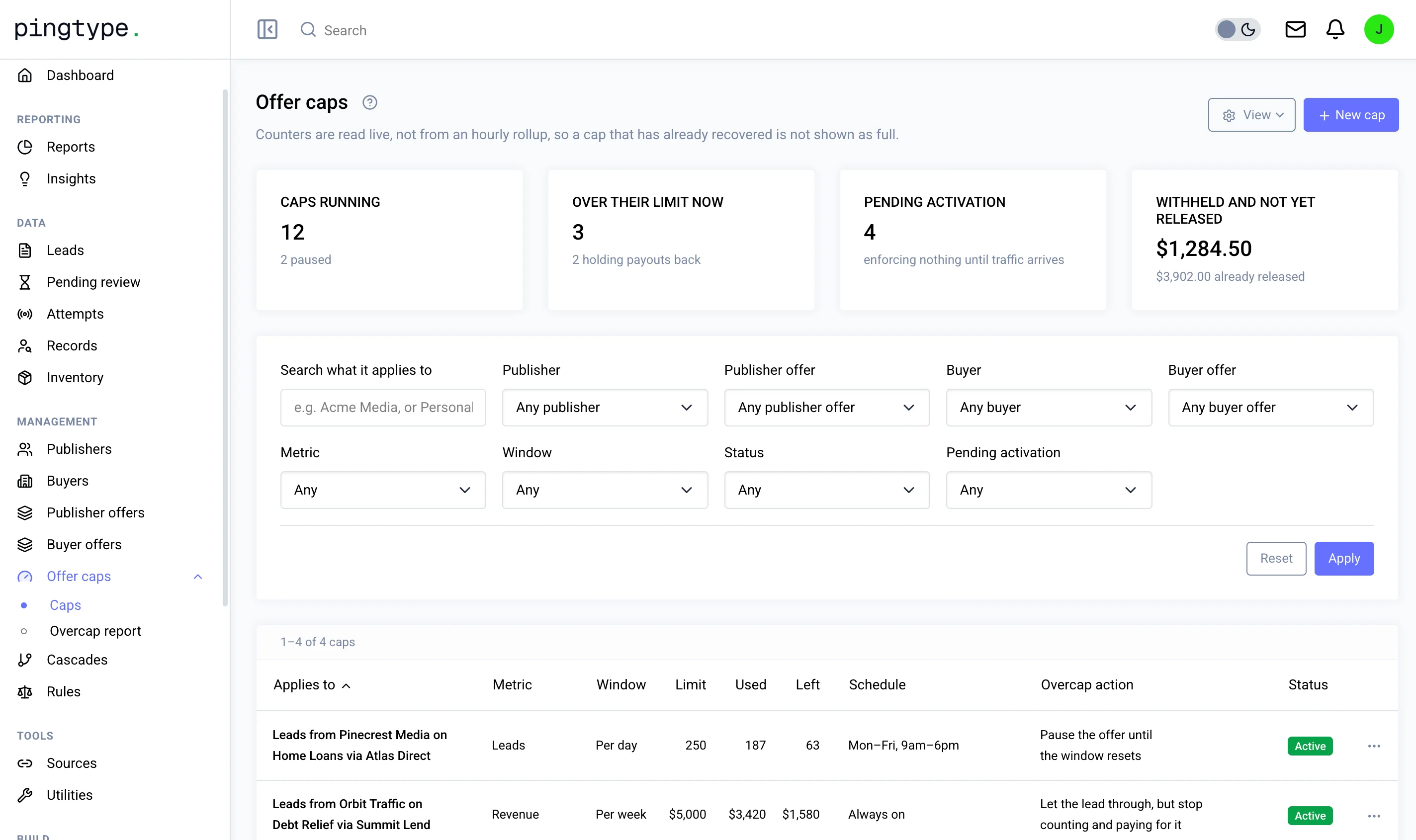
This is the Caps screen.
You decide
What you control in Caps.
- What is counted: leads, clicks, sales or spend
- The time window
- The limit itself
- What happens when the cap is full
- When the cap starts counting
- Whether the cap is active or paused
Questions
What happens when a cap is full?
You choose. For a buyer cap, the lead normally moves to the next buyer in the cascade. For a click cap, you can let the click through but stop counting and paying for it.
Can a cap wait before it starts?
Yes. A cap can wait until a set number of clicks has arrived before it starts counting.
Can I see how close a cap is to full?
Yes. Each cap shows how much has been used and how much is left.
Works with
Caps is one step of six.
The other five steps