Step 1 of 6 · Forms
Capture leads
Build multi-step lead forms and put them on any landing page. No developer needed: build it, then paste one line.
What you can do
Forms, in plain words.
- Add as many steps and questions as the offer needs
- Partial leads are saved when someone quits halfway
- Save a draft, then publish when you are ready
Where do you live?

<script data-form="f_8a2c" />
In detail
What is a lead form?
A lead form is where every lead starts. It is the page where a visitor from your ad, email or search result leaves their details and answers the questions a buyer cares about.
Long forms put people off, so many teams split the questions into steps and ask the easy ones first. pingtype saves the answers at every step, so a visitor who quits halfway is a partial lead you can see, not a lost one.
- 1
Build the form
Add steps and questions in the form builder. There is nothing to code.
- 2
Save a draft
Work on it as long as you like. Nothing goes live until you publish.
- 3
Publish
When you are happy with it, publish the form.
- 4
Paste one line
Paste the line it gives you on any landing page, and leads start arriving.
Inside the product
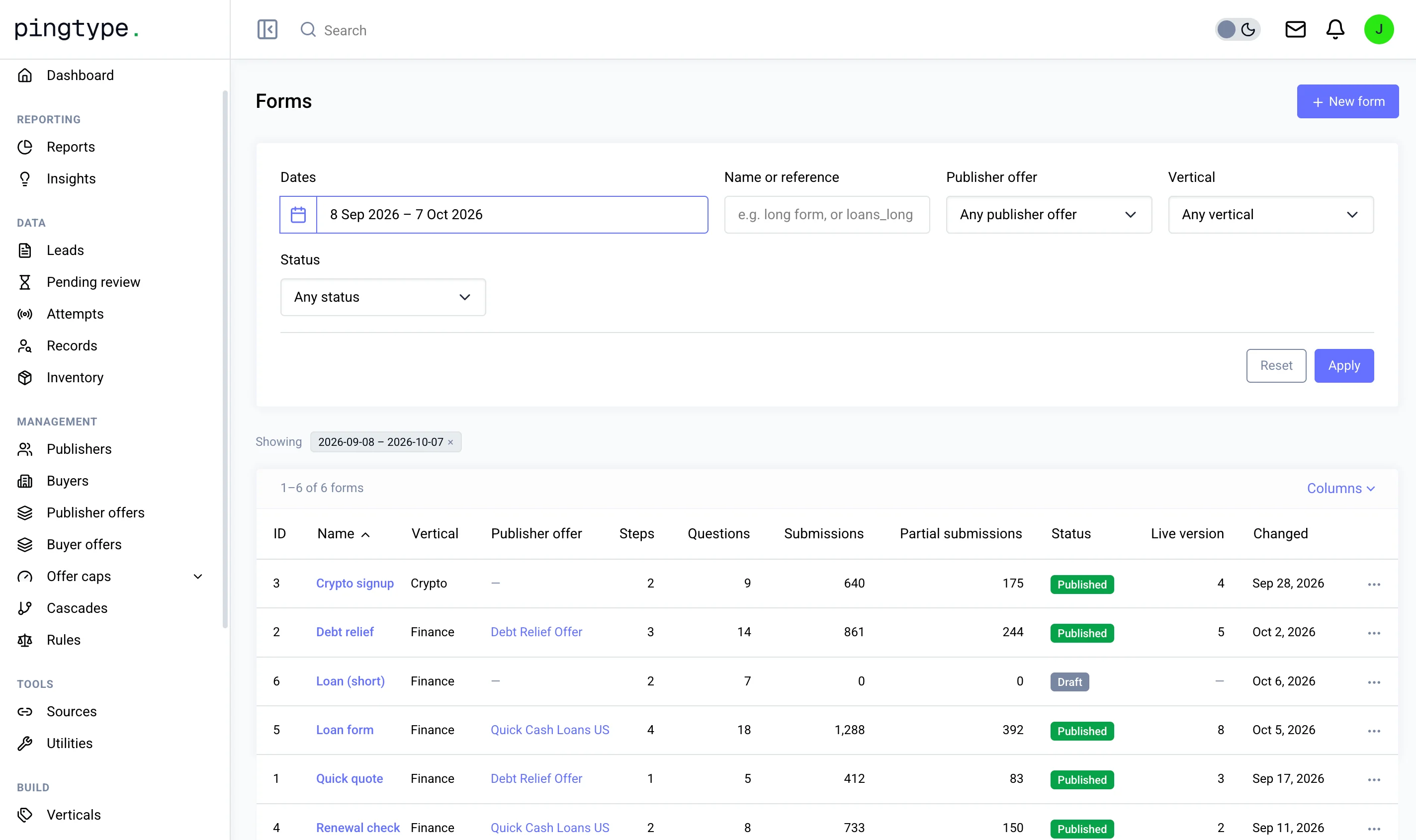
This is the Forms screen.
You decide
What you control in Forms.
- How many steps the form has
- Which questions each step asks
- The vertical the form is for
- Which publisher offer the form belongs to
- Whether the form is a draft or published
Questions
Do I need a developer to put a form on my page?
No. You paste one line on your page. The form itself is built inside pingtype.
What happens when someone quits halfway?
The answers they gave so far are saved as a partial lead. You can see partial submissions next to your completed ones.
Can I change a form after it is live?
Yes. Edit a draft, then publish it. Every form has a version number, so you can see which version is live.
Works with
Forms is one step of six.
The other five steps