Guide · Updated 23 October 2026
Lead distribution software with a built-in click tracker
Short answer
A lead distribution system with a built-in click tracker records the click, the lead, the buyer, the sale and the publisher payout in one product. With a separate tracker you keep two tools in step: the click lives in one, the lead and sale in the other, joined by a click ID and a postback you must keep working. Built-in tracking gives you one set of numbers and one report per source.
The problem with a separate tracker
- The click ID has to travel through the landing page into the lead. If it is lost, the sale cannot be matched to the source.
- A wrong macro or a broken postback quietly drops conversions from your reports.
- Two dashboards rarely agree, so publishers, buyers and you argue over whose number is right.
- You pay for, learn and maintain two tools instead of one.
What built-in click tracking means
- A publisher gets a tracking link on your own tracking domain.
- Every click is recorded with its click ID.
- The lead arrives with that click ID attached, and your rules check it.
- The lead is routed to a buyer by your cascade or ping/post bidding.
- When the buyer accepts, the sale is recorded against the original click.
- An S2S postback tells the publisher's system the lead sold, and the payout is calculated, held until the sale is confirmed.
Because the click and the sale are in the same product, there is no click ID to carry between tools and no postback to your own tracker to keep alive.
What you can see in one place
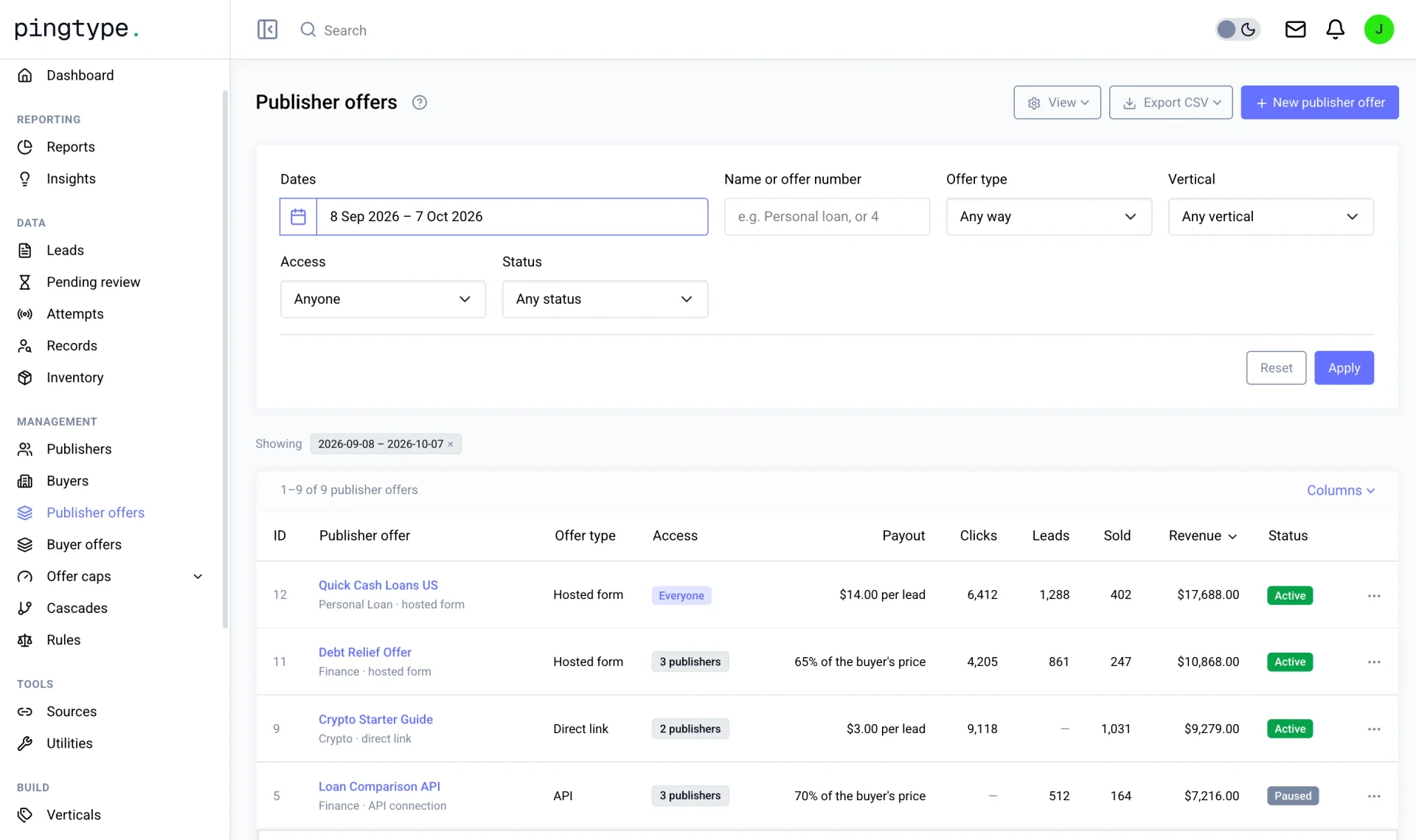
- Clicks, leads and sales for each publisher, source and offer.
- Which buyer accepted each lead, and what each publisher is owed.
- Quality by source, with source quality grades, so you can stop paying for traffic that returns.
- Eleven reports with CSV export, from the same underlying data.
- Fraud checks across publishers, not only per lead.
How other platforms handle click tracking
| Platform | What its own materials show |
|---|---|
| Lead Prosper | Its support center documents tracking affiliates through a separate platform, Everflow, using a server postback |
| LeadByte | Tracker vendors Trackier and Everflow publish guides for tracking LeadByte sales through a postback |
| Phonexa | Click tracking is a separate module, Lynx, sold alongside the LMS Sync lead management product |
| boberdoo | Lead tracking and custom reporting that segment leads and calls by source |
These come from each vendor's public pages and are checked on 23 October 2026. See the side-by-side pages for sources, and check the vendor for what is available on your plan.
Questions to ask any lead distribution vendor
- Does it record the click, or only the lead once it arrives?
- Do publishers get tracking links, and can I use my own tracking domain?
- Where do the click, the lead and the sale meet? Is that one product or two?
- How does the sale get back to the publisher: an S2S postback, a pixel, or a manual report?
- Do I need a separate tracker, and what does it cost on top?
- Can I see quality by source, and pay publishers only on confirmed sales?
How pingtype does it
pingtype is lead distribution software with the click tracker built in. Publishers get tracking links on your own tracking domain, clicks and leads are recorded together, S2S postbacks tell their systems when a lead sells, and payouts are held until a sale is confirmed. You see it all in one set of reports, set up on screens with no developer, at a published $900 a month for the Founder package.
Questions
Do I still need a click tracker with lead distribution software?
Not if the platform has one built in. pingtype records the click, the lead, the sale and the payout together, and sends S2S postbacks to your publishers.
Is pingtype a click tracker?
pingtype is lead distribution software with a click tracker built in. It is not an ad tracker for media buyers. It routes leads to buyers and tracks them back to your publishers.
What is a click ID?
A unique code created when someone clicks a tracking link. It is attached to the lead and sent back in the postback, so the sale is matched to the original click.
Why do separate trackers cause mismatched numbers?
The click and the sale live in different tools, joined by a click ID and a postback. If either is lost or misconfigured, the two reports disagree.