Guide · Updated 23 October 2026
Ping post software: how it works and how to choose it
Short answer
Ping post software sells each lead to the highest bidder in real time. It sends buyers a ping, a small part of the lead with no contact details. Buyers reply with a bid. The software then sends the full lead, the post, only to the buyer who won. Good ping post software also handles caps, timeouts, duplicate checks, tracking and payouts.
How a ping and a post work
- A lead arrives from a form, a link or an API call, and your rules check it.
- The software sends a ping to every eligible buyer. It holds details such as state, ZIP, product or score, but no name, phone or email.
- Each buyer replies within a time limit with a bid, or declines.
- The software picks the winner, usually the highest bid, sometimes adjusted by buyer quality, caps or priority.
- It sends the full lead, the post, to the winner, who confirms acceptance.
- The sale is recorded, with what you earned and what the publisher is owed.
Because buyers only see contact details after they win, they can bid on quality without seeing a lead they will not buy, and sellers keep personal data back until a sale.
What to look for in ping post software
- Real-time ping handling with per-buyer timeouts, so one slow buyer does not hold up a lead.
- Flexible winner rules: highest bid, price floors, weights, and fallback when the winner declines the post.
- Delivery tools: field mapping, test leads, and reading the buyer's reply so acceptance is recorded correctly.
- Caps and schedules for every buyer and every publisher.
- Filters before the ping: duplicates, fake details, blocked sources.
- Tracking back to publishers with S2S postbacks, and payouts that wait for a confirmed sale.
- Reporting by buyer, publisher and offer, so you see which ping responses earn.
- Set-up effort: can your own team run it without a developer?
Ping post software compared
| Platform | Ping post | Pricing as published or reported |
|---|---|---|
| pingtype | Ping/post bidding plus waterfall and weighted cascades | $900 a month flat, every feature included (Founder package, first 100 partners) |
| boberdoo | Ping post and ping tree, with dynamic bidding | Not published; third-party estimates about $500 to $3,000 a month plus setup |
| LeadExec | Ping/post distribution | Free Starter, then $825, $1,650 and $2,500 a month, plus overage fees |
| Lead Prosper | Direct post and ping/post | Monthly fee including 5,000 leads and 200,000 pings, then per-lead and per-ping fees |
| LeadConduit | Real-time bidding in the Pro tier | Per transaction from $0.15 to $0.05; Pro not published |
| Phonexa | Ping tree and ping/post | Custom quote |
Figures come from vendor pages and third-party listings, checked on 23 October 2026. See each side-by-side page for sources, and check the vendor's own page before you decide.
A worked example
The numbers below are illustrative, to show the mechanics. A seller receives an auto insurance lead from Texas and pings five buyers with a 3 second timeout.
| Buyer | Response | Result |
|---|---|---|
| Buyer A | Bid $18 | Second highest |
| Buyer B | Bid $22 | Highest, so wins the post |
| Buyer C | Bid $15 | Lower |
| Buyer D | Declined | Does not buy Texas leads today |
| Buyer E | No reply within 3 seconds | Ignored for this lead |
The full lead is posted to Buyer B. If Buyer B accepts, the seller records $22 of revenue and the publisher is owed their agreed amount. If Buyer B rejects the post, a good platform falls back to Buyer A at $18 instead of losing the lead. Buyer E's slow reply cost them the chance to bid, which is why timeouts matter.
Questions to ask any ping post vendor
- How long does a ping take end to end, and can I set a timeout per buyer?
- What happens if the winning buyer rejects the post?
- Can I set price floors, and weight bids by buyer quality?
- Can I cap buyers by day, week or month, and by source?
- Do you offer test leads, so I can check an integration before it earns money?
- How is the sale tracked back to the publisher, and when are publishers paid?
- What does a duplicate or fake lead cost me, and where is it filtered?
- What is the total monthly price at my volume, including overage and setup?
- Can my own team run it, or do I need a developer?
Common problems and how to fix them
| Problem | Why it happens | What to do |
|---|---|---|
| Buyers bid then reject | Their post rules are stricter than their ping rules | Add the buyer's acceptance rules to your side, and fall back to the next bid |
| Slow responses lose bids | Buyer endpoints are slow or overloaded | Set tight timeouts and review buyers' response times in your reports |
| Low bids on good leads | Too few buyers, or bids not weighted by quality | Add buyers in the right verticals and states, and set price floors |
| One buyer takes everything | No caps | Cap each buyer so volume is shared as agreed |
| Duplicates reach buyers | No filter before the ping | Reject duplicates and fake details before any buyer sees a lead |
Terms you will see
- Ping: the limited preview of a lead sent to buyers.
- Post: the full lead sent to the winning buyer.
- Pre-ping: an optional early check to see whether a buyer wants a lead at all.
- Price floor: the lowest bid you will accept.
- Timeout: how long a buyer has to answer a ping.
- Reject or return: a buyer refusing a lead after it was posted.
- Exclusive and shared sales: selling a lead to one buyer or to several.
Start ping post in pingtype
- Add your buyers and set up delivery for each one, with field mapping, and send a test lead before you go live.
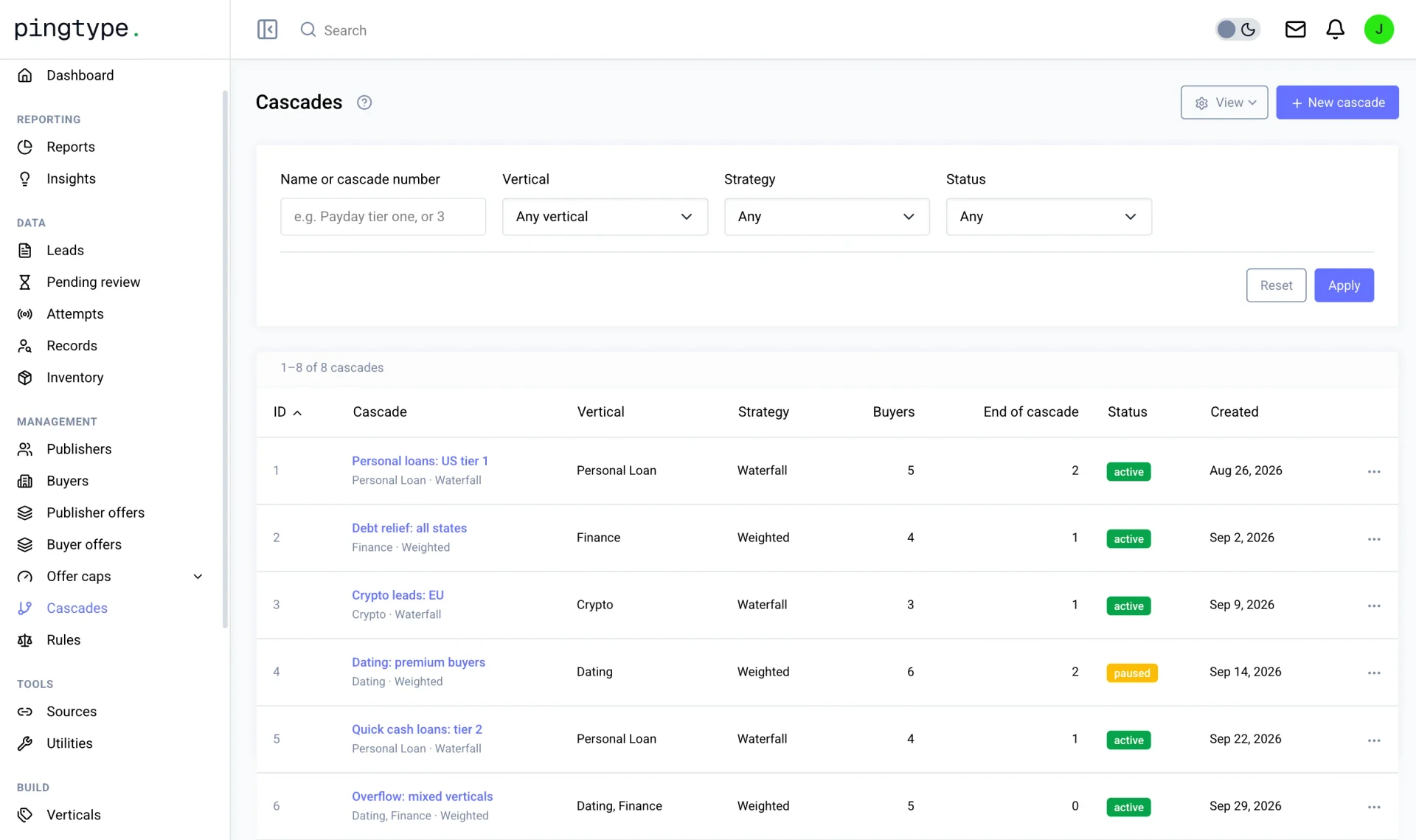
- Create a cascade and put the buyers in order, or switch to weighted to split by percentage. Use ping/post bidding where buyers should price each lead.
- Set caps and schedules for every buyer, and acceptance rules on the lead fields that matter to them.
- Turn on rules and phone, email and IP checks, in watch-only mode first so you see what they would reject.
- Send traffic, and follow each lead through the tree in the reports. Unsold leads are kept so you can offer them again.
No developer is needed. Everything above is set up on screens, and the API is there if you want to connect your own systems later.
Questions
What is a ping post system?
A ping post system is the software that runs the ping, collects buyers' bids, picks the winner and posts the full lead to them. It also handles timeouts, caps and tracking.
What is ping post in lead generation?
Ping post is a two-step way to sell leads. The seller sends buyers a ping, a small part of the lead without contact details. Buyers bid, and the full lead, the post, goes only to the winner.
What is the difference between a ping and a post?
The ping carries limited, non-identifying data so buyers can price the lead. The post carries the full lead, including contact details, and is sent only to the winning buyer.
Do I need a developer to use ping post software?
Not with pingtype. You set up buyers, delivery, rules and caps on screens. The API is available if you want to connect your own systems.
Which ping post software is best?
It depends on your volume, vertical and team. Compare routing options, delivery tools, tracking, payouts and price using the table above, and the side-by-side pages.